
· Revenue Cloud · 1 min read
Custom Quote UI in Salesforce: Why Is It So Hard to Find Examples?
 By Jonathan Major, Lead Consultant at CIPAQ LinkedIn
Custom Quote UI??? Why is it hard to find screenshots of custom Quote UIs that companies are using?
I was engaged to build out Salesforce Revenue Cloud for a leading medical company.
Early in the project, it was determined that the standard Quote UI is not easy enough to use. After we went live with Phase 1, I wanted to get ideas of custom quote screens that others may have built. I went to the internet to see what other complex Quote UIs look like. To my surprise, all I could find were screenshots of the standard Salesforce Quote UI. Is nobody building custom Quote UI components/screens?
I want to share what we built. Hopefully this can help give you some ideas for your next Quoting project of what is possible in Salesforce. I blurred key data for confidentiality.
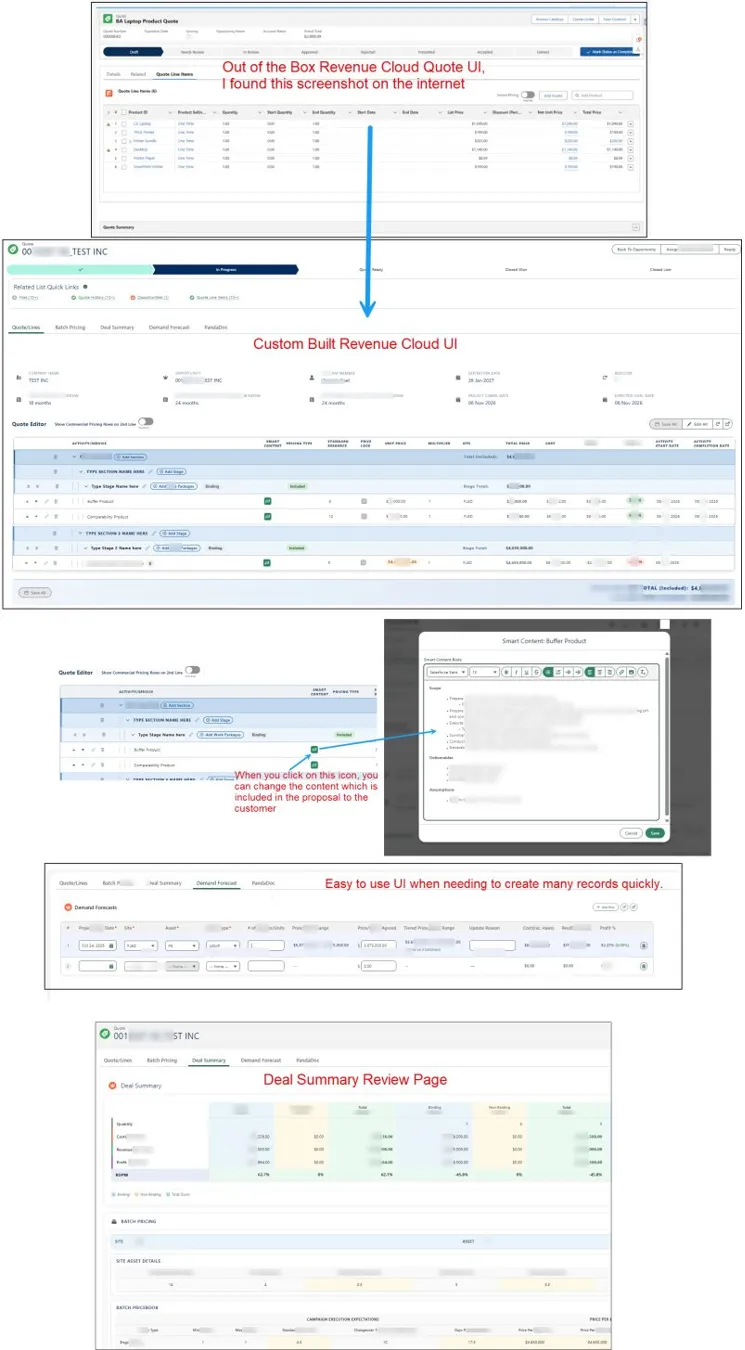
Open the full-size image to see more detail.
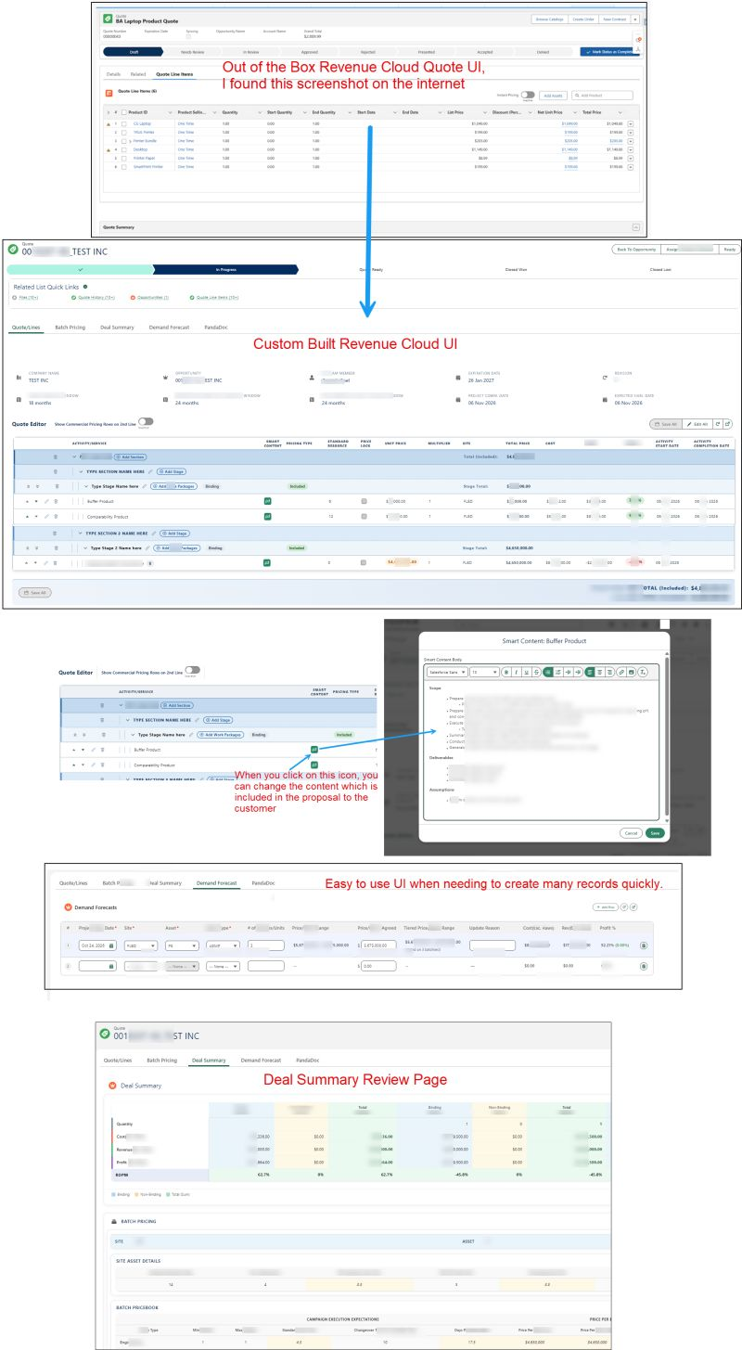
What the custom quote UI includes
- Custom quote editor: sections, stages and products grouped in one editable grid with inline pricing.
- Smart content: click an icon on a line to change the content that is included in the proposal to the customer.
- Demand forecast: an easy-to-use UI when you need to create many records quickly.
- Deal summary review page: binding, non-binding and total cost, revenue and profit at a glance, plus batch pricing.
If you are proud of the custom Quote UI you built, please share a screenshot. Feel free to blur out the confidential stuff.
Planning a quoting project of your own? Schedule a meeting and we’ll walk you through it.