
Skip to content
CIPAQ

CPQ Light

Our proven pre-built Quoting template provides a full featured CPQ application, right inside Salesforce. Consider this application if you feel that Salesforce.com CPQ (formerly Steelbrick) is much more than you need.

We've built it for multiple customers, and it connects to QuickBooks for customers, invoices, orders and products.

AppExchange listing
Pricing Requests / Quotes
Listed since
December 2016
Works with
Sales Cloud, Platform, Experience Cloud
Integrates with
QuickBooks

Watch Jonathan walk through it

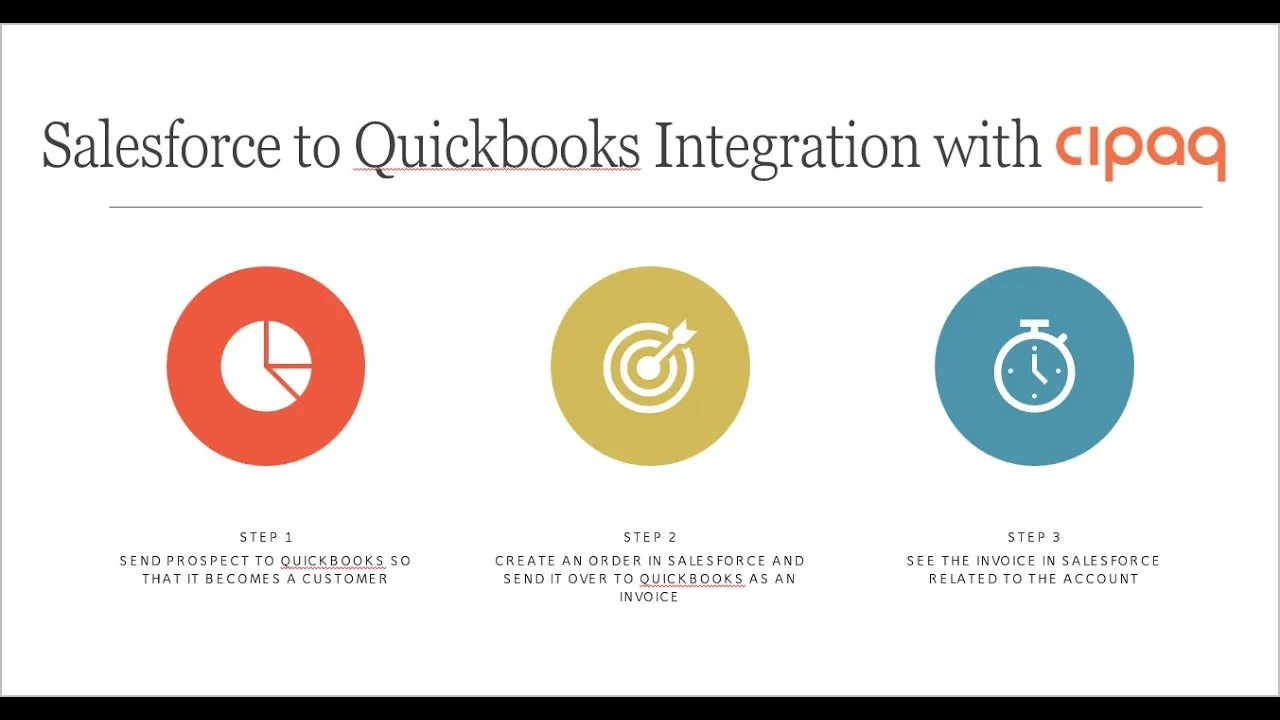
Seven minutes, start to finish: send a prospect to QuickBooks so it becomes a customer, create an order in Salesforce and send it to QuickBooks as an invoice, then see that invoice back on the account.

Can't play it here? Watch on YouTube.

Why teams pick it over full CPQ

Inside the app

Screens from a live customer org, a wine and spirits distributor running CPQ Light with QuickBooks.

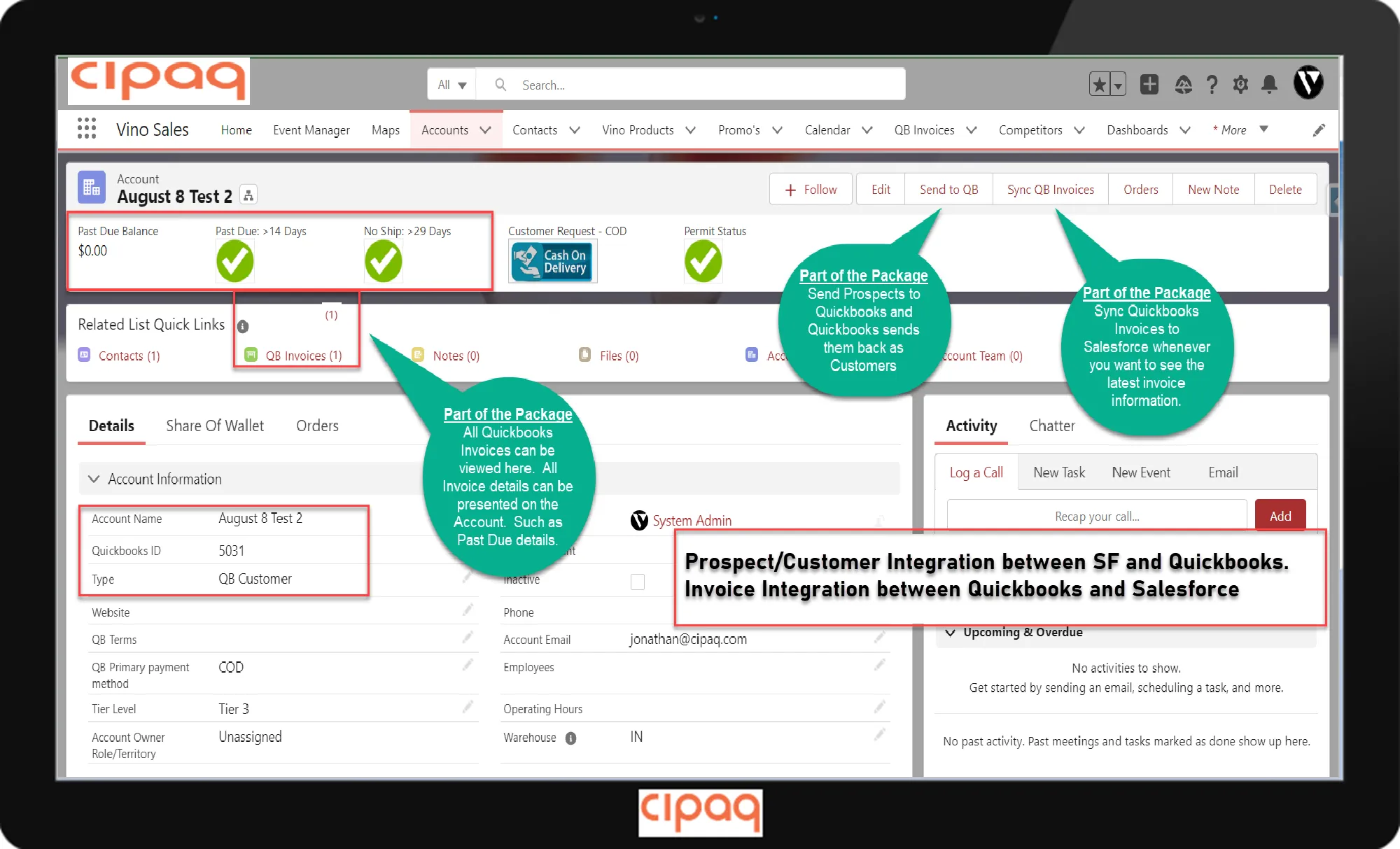
CPQ Light account page in Salesforce showing past due balance, past due and no-ship indicators, COD and permit status, QuickBooks ID, and Send to QB and Sync QB Invoices buttons

Click the image to open it full size.

Accounts that know what is happening in QuickBooks

  • Send a prospect to QuickBooks with one click. QuickBooks sends it back as a customer, with its QuickBooks ID.
  • Sync QuickBooks invoices to Salesforce whenever you want the latest invoice information.
  • All QuickBooks invoices are visible on the account, along with details like past due balance, past due over 14 days and no shipment in 29 days.
  • Payment method (for example COD) and permit status show at the top of the account.
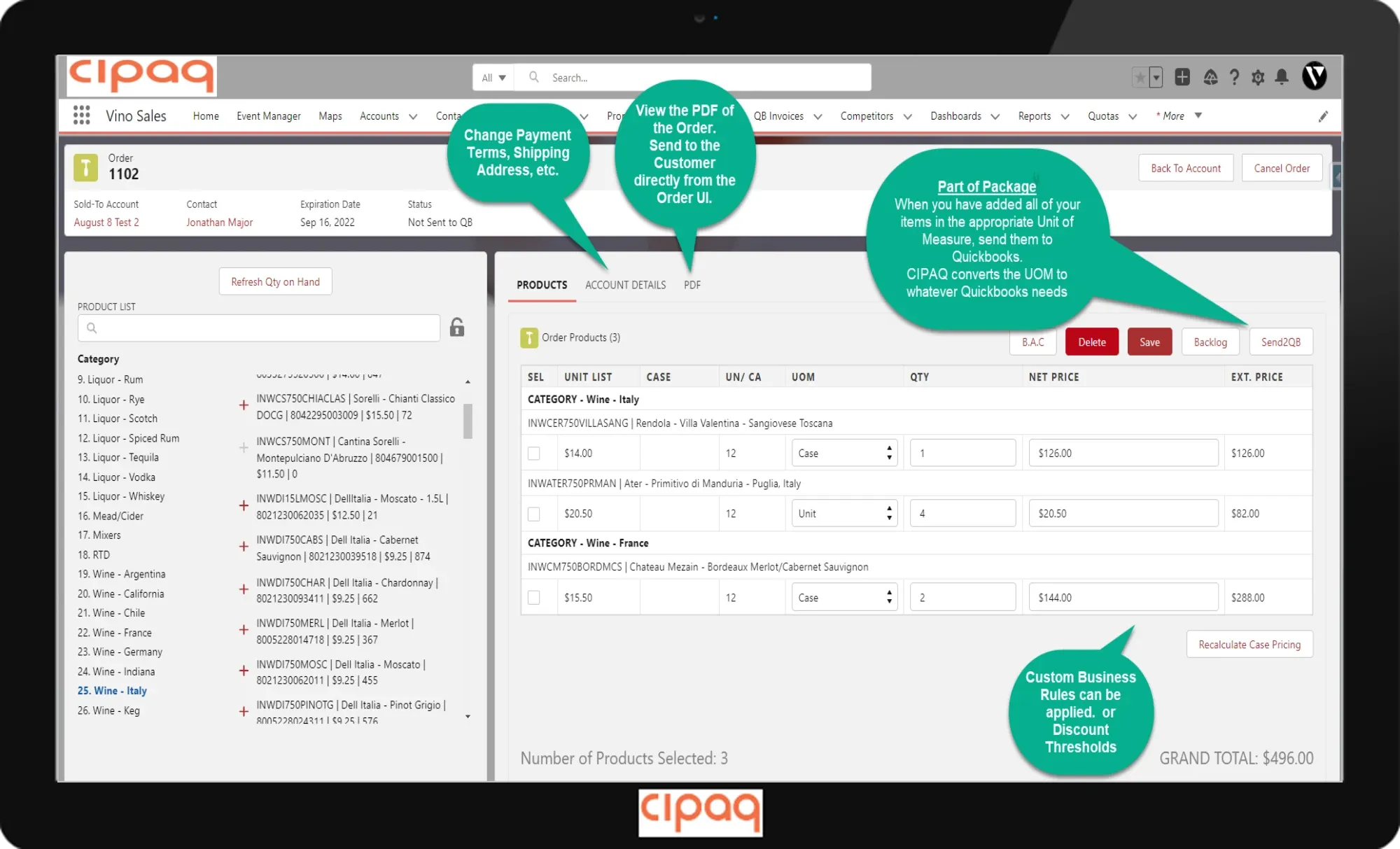
CPQ Light order builder in Salesforce with a product list by category, unit of measure per line, net and extended prices, grand total, and Send2QB, Backlog and PDF options

Click the image to open it full size.

An order screen built for the way your reps sell

  • Pick products by category, with quantity on hand refreshed from inventory.
  • Order by case or by unit. CPQ Light converts the unit of measure to whatever QuickBooks needs.
  • Send the order to QuickBooks as an invoice once everything is added.
  • Change payment terms or the shipping address, and view the PDF of the order and send it to the customer directly from the screen.
  • Apply custom business rules or discount thresholds, and keep backlog items for later.

CPQ Light questions

What is CPQ Light?

CPQ Light is a pre-built Salesforce Lightning app from CIPAQ that provides a full featured quoting and ordering application. It is listed on the Salesforce AppExchange as "Pricing Requests / Quotes". Consider it if you feel that Salesforce CPQ (formerly Steelbrick) is much more than you need.

Does CPQ Light integrate with QuickBooks?

Yes. CPQ Light can send prospects to QuickBooks so they become customers, send orders to QuickBooks as invoices, and sync QuickBooks invoices back to the Salesforce account. The integration covers customers, invoices, orders and products.

Do I need Opportunities to use CPQ Light?

No. CPQ Light does not require Opportunities to be created. It can be set up to link orders and quotes directly to an Account.

Which Salesforce licenses does CPQ Light work with?

It works with Sales Cloud and Platform licenses, and can be configured for Experience Cloud. It supports Enterprise, Unlimited, Force.com and Developer editions.

How long does it take to implement?

CPQ Light typically does not require a costly six-month implementation. It is built to be implemented quickly and we tailor it to your business processes.

Ready to start?

Get in touch with us so we can schedule a time to discuss what kind of project you are looking for. We will do our best to see that your needs are met!

Schedule Meeting

Or reach Jonathan directly at jonathan@cipaq.com or (469) 288-3381.